
Memory
Memory is the app-wide pane for what agents know and carry: the instructions every agent starts with, what each agent writes in its own memory, skills, and the bundles that package them. Its companion pane, Connectors, holds what agents connect to outside AgentMux: accounts, MCP servers and remote hosts.
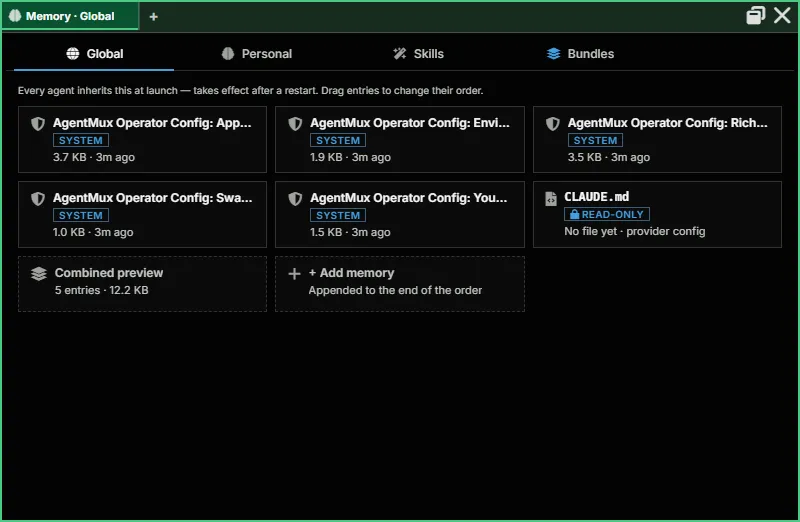
Memory is a regular pane (icon: brain), opened from the widget bar like any other. It has four sections, as tabs along the top of the pane (frontend/app/view/memory/memory.tsx):
| Section | What it manages |
|---|---|
| Global | Global Memory: instructions composed into every agent’s startup file |
| Personal | Personal Memory: what each agent writes in its own memory files, with history |
| Skills | The Skill catalog: global skills plus any agent-private ones |
| Bundles | Instructions, MCP servers, memory and skills packaged to give to agents; imports ABF (.abf) files |
Memory opens on Global. The pane title names the section, for example “Memory · Skills”. In a narrow pane the tabs show only their icons; in a wide one they stop growing and sit at the left. Ctrl + mouse wheel zooms the pane.
Opening Memory
Section titled “Opening Memory”- Widget bar: click Memory. It is pinned by default. If a Memory pane is already open in the tab, the click focuses it instead of opening another.
- Hamburger menu: click ≡ in the top tab bar and choose Memory.
- Command palette: run Memory. Searching for “skills” or “bundles” also finds it.
- macOS app menu: Memory….
- Keybinding: bind
app:memory. A binding to the oldapp:knowledgeis changed toapp:memorythe first time it starts after updating.
Links elsewhere in the app open Memory on the right section:
- In an agent’s Stash, the Skills tab’s Browse all in Memory → button and its edit it there link open Skills.
- The Stash’s Bundles tab links to Memory → Bundles.
An Armory pane (the earlier pane that held both Connectors and Memory) is moved to the matching new pane: Memory, Skills and Bundles to Memory, the rest to Connectors.
Global
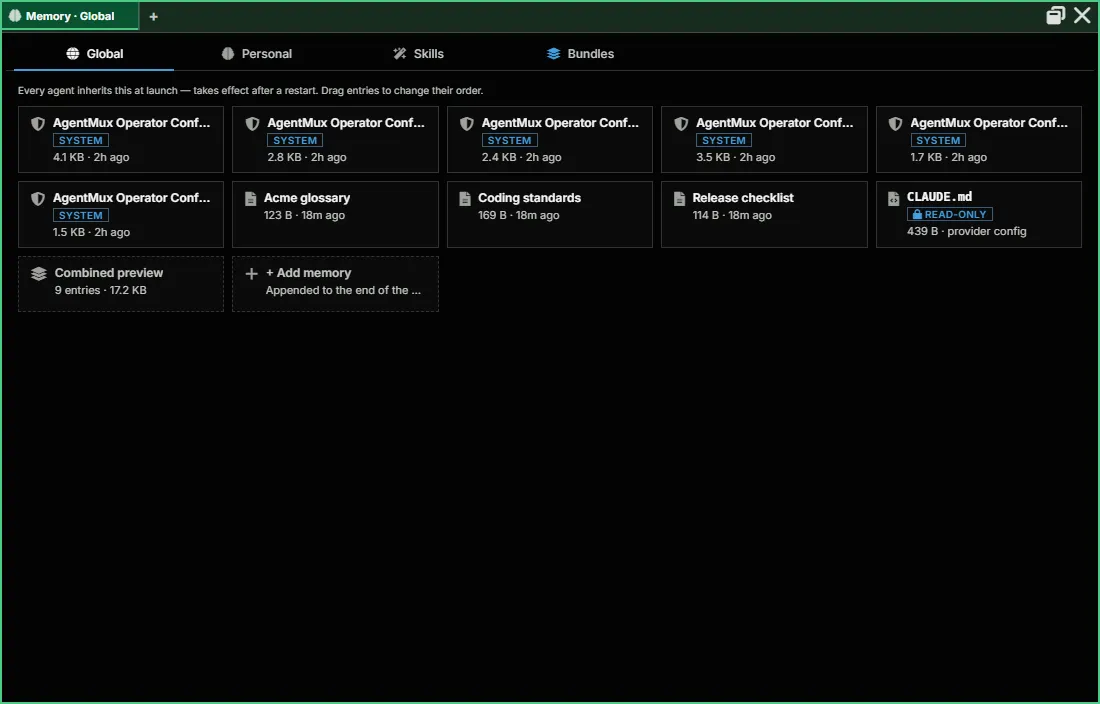
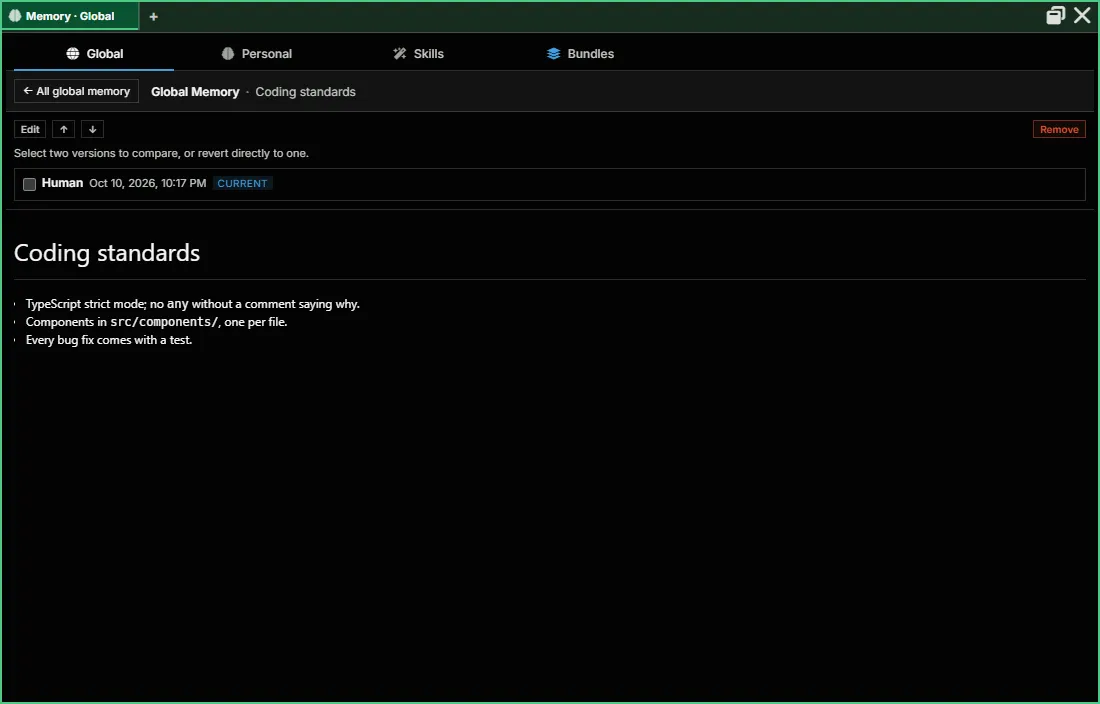
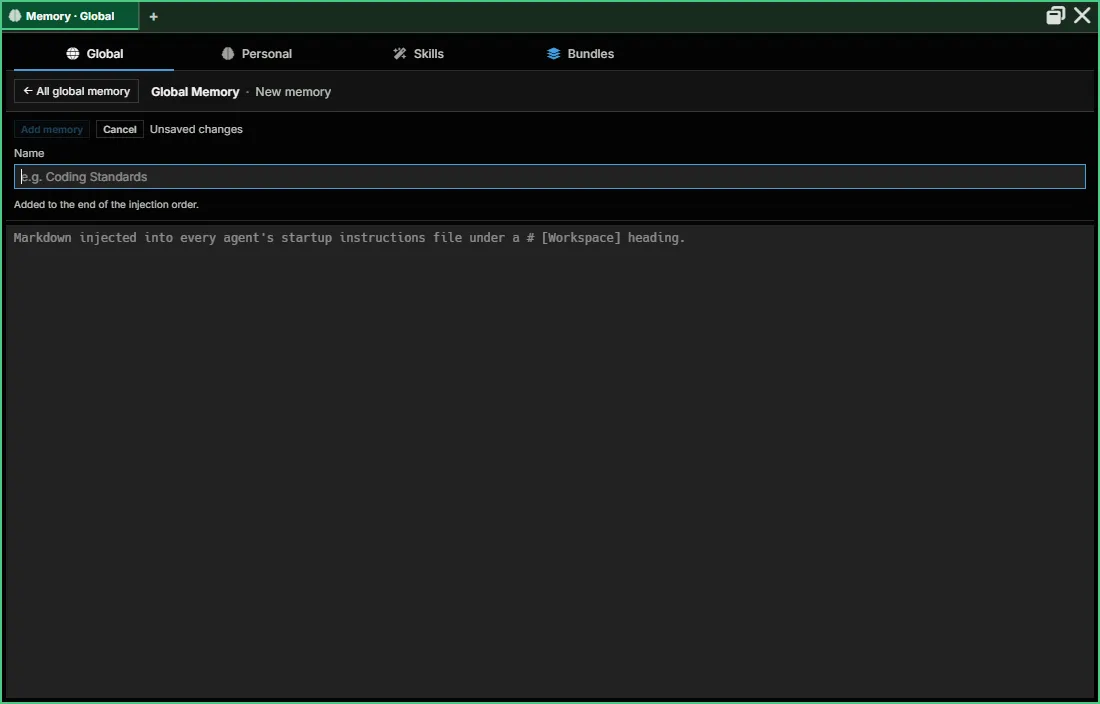
Section titled “Global”Global Memory is a set of entries that every agent inherits at launch (frontend/app/view/global-bundle/global-bundle-manager.tsx). The section reads “Every agent inherits this at launch — takes effect after a restart. Drag entries to change their order.” It shows a tile per entry, a read-only CLAUDE.md tile, a Combined preview of what agents receive, and + Add memory. Click a tile to open the entry with its history, a diff view and revert.
Claude Code agents also get their memory again whenever Claude Code starts a new session, including after /clear and after a compaction, but not when a session is resumed. AgentMux delivers it through Claude Code’s SessionStart hook: Global Memory, AgentMux’s Operator Config entries and the agent’s Personal Memory, split into parts of about 10,000 characters (crates/bashwrap/src/sessionstart.rs). If the hook doesn’t deliver, for example when AgentMux had to start a fresh session because the previous one couldn’t be resumed, AgentMux sends the same memory as a hidden message instead.
Each delivery shows in the agent pane as a card, such as “Given to the agent · new session · 6 items” or “Memory re-delivered after compaction · 3 items”, with one row per item: its name, whether it is an AgentMux system entry, a Workspace entry or Personal Memory, and its size. On a new session the card also lists the files Claude Code read by itself at startup, such as CLAUDE.md files and the skills list; when one of them already carries the Global Memory, the hook doesn’t send it again, and those entries say “in startup file”. One delivery carries up to about 70,000 characters; an entry that didn’t fit is marked “cut” or “not sent”. When Personal Memory grows large for the agent’s context window, the card suggests consolidating it. The card lists what the agent was given, not the text itself (frontend/app/view/agent/components/ContextDeliveryCard.tsx). It’s a context delivery, not a message you sent.
Every change to Global Memory is also written to a Global Memory record that keeps each entry’s versions and the order of entries (crates/srv/src/backend/global_memory_record.rs). Channels that share your main accounts share one Global Memory; an isolated channel (for example a development build) keeps its own.
On an isolated channel, the Global section shows a banner when another scope has entries this channel doesn’t: “This channel keeps its own Global Memory. … has N entries it doesn’t: …”. Bring them here copies them in (an entry whose name is already taken is renamed); agents get them at their next launch. Nothing is shared without this click (frontend/app/view/global-bundle/GlobalMemoryImportBanner.tsx).
Agents can read and change Global Memory with the GlobalMemoryList, GlobalMemoryRead, GlobalMemoryWrite, GlobalMemoryRemove, GlobalMemoryHistory, GlobalMemoryDiff and GlobalMemoryRevert MCP tools.
Personal
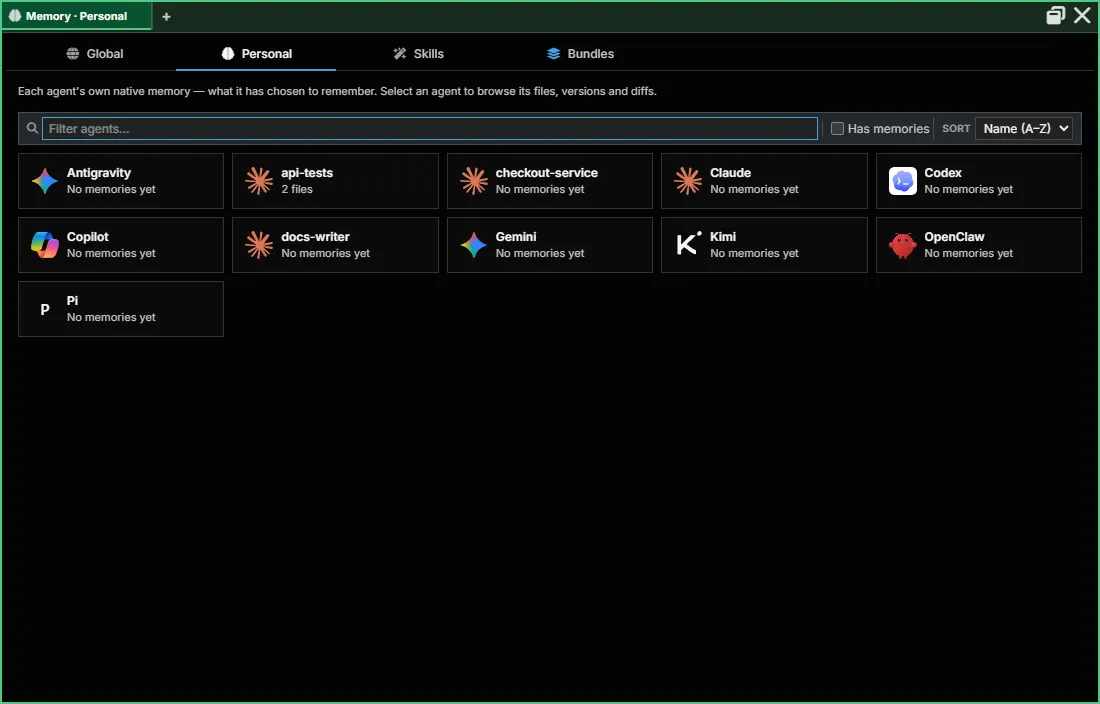
Section titled “Personal”Personal Memory is the set of free-form .md files an agent reads and writes about itself: notes, running context, anything it wants to keep between turns. It is a different thing from a bundle: a bundle is a reusable definition you give an agent; Personal Memory is a scratchpad an already-running agent keeps for itself. (“Native memory” is the name of its storage in the code; earlier releases labelled it “Brain”.)
This section is the app-wide view of every agent’s Personal Memory. Pick an agent, then a file, to see its content, history and diffs, and to revert to an earlier version. Per agent, the same memory is reached from the agent pane’s Stash → Personal Memory tab.
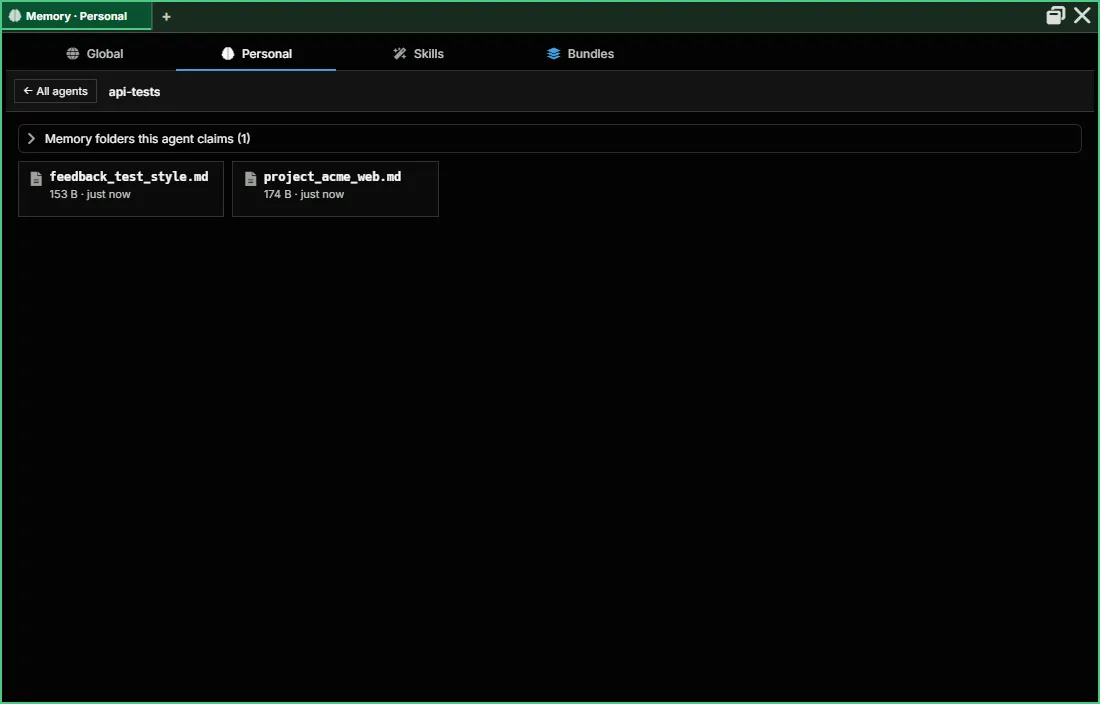
Above an agent’s files, two collapsible panels (frontend/app/view/native-memory/):
- Earlier memory found under N other account(s) appears when the agent has memory folders from accounts it used before, or files held back because their content matches another agent’s memory. Tick the folders and choose Adopt selected….
- Memory folders this agent claims (N) lists the folders the agent holds, when each was claimed, and whether other agents also use it. Release… gives a folder up, so another agent that uses it can sync its memory there; if the agent still uses it, its next launch claims it again.
Adopting and releasing are confirmed in a separate AgentMux window (“Adopt earlier memory into agent?” with Cancel / Adopt; “Release agent’s claim on this folder?” with Cancel / Release), not in the pane, so an agent driving the UI can’t confirm them for you. A request left unanswered expires after 10 minutes (crates/cef/src/memory_adoption.rs). Adopted files appear in the agent’s folder at its next launch.
An Unverified folder badge next to the agent’s name means AgentMux found the folder from the agent’s settings rather than from the agent’s own launch; it is read-only until the agent launches.
The Stash tab, this section, and an agent acting on itself all go through the same primitive:
| Surface | Commands |
|---|---|
| MuxAPI | memory.list, memory.read, memory.write |
| MCP tools (agent-callable) | MemoryList, MemoryRead, MemoryWrite, MemoryHistory, MemoryDiff, MemoryRevert |
See MuxAPI for the full parameter reference.
The memory record: memory follows the agent
Section titled “The memory record: memory follows the agent”A provider keeps an agent’s memory files in a folder tied to its account and working directory (for Claude Code, $CLAUDE_CONFIG_DIR/projects/<cwd>/memory), so switching account, working directory or channel used to leave them behind. AgentMux keeps its own memory record for each agent, keyed by the agent’s ID rather than by account, folder or channel, and treats it as the source of truth (crates/srv/src/backend/memory_record.rs). The record keeps every version of every file, which is what the history, diff and revert views show.
- At each launch, before the provider CLI starts, AgentMux reconciles the agent’s memory folder with the record: files missing from the folder are written back, and changes found on disk are recorded (
crates/srv/src/backend/memory_reconcile.rs). If a file changed on both sides, the disk version wins and the other is kept beside it as a<name>__conflict_<id>.mdfile. This is how memory follows an agent into a new account, working directory or channel. - While the agent runs, AgentMux watches its memory folder and records a file Claude writes once it has been unchanged for about 2 seconds, with a periodic sweep as a backup (
crates/srv/src/backend/native_memory_drift.rs). - AgentMux’s own writes —
MemoryWrite, edits in Memory → Personal, revert — go into the record first, then to the file. - Shared folders: two agents can end up with the same memory folder (same account and working directory, for example). AgentMux only syncs the record with a folder it can show belongs to this agent alone; a shared folder is left as it is (
crates/srv/src/backend/memory_dir_claims.rs). The first time an agent’s record meets a folder, a file whose content another agent’s record already has is held for you to review instead of being taken over; it shows up in the adoption panel above.
The older db_agent_native_memory mirror is still written through on list, read and write, but it is no longer the main mechanism. See docs/specs/SPEC_MEMORY_FOLLOWS_THE_AGENT_2026_09_24.md in the main repo for the design.
Skills
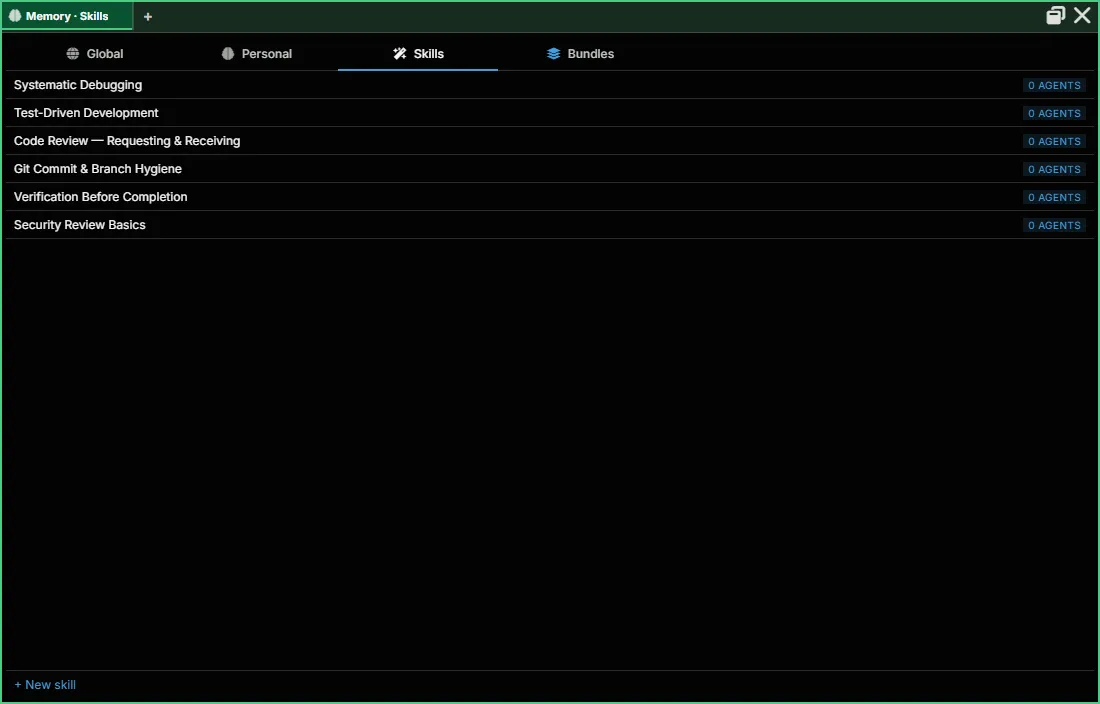
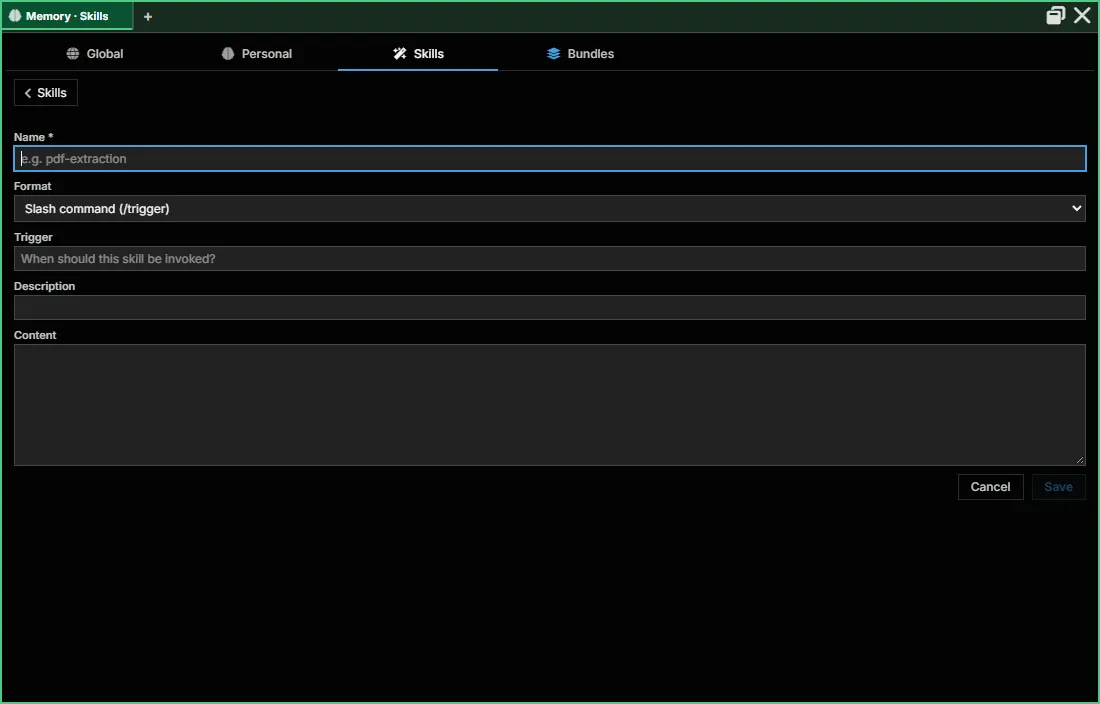
Section titled “Skills”The catalog of Skill primitives, with the same global-vs-private shape as MCP servers (skill.catalog.* for global, skill.* for agent-scoped). Click + New skill to add a global one: its name, format, trigger, description and content. An agent’s own Skills tab (Stash → Skills) lists what that agent can see and lets it bind or unbind global skills. See MuxAPI for the full RPC reference.
Bundles
Section titled “Bundles”The app-wide view of all bundles. A bundle packages instructions, MCP servers, memory and skills; an agent takes several, in order. + New Bundle creates one; Import Bundle brings in an .abf file, and any bundle can be exported as one. See Bundles for the full reference, including how an agent’s bundles are picked, and Agent Bundle Format (ABF) for the file format.
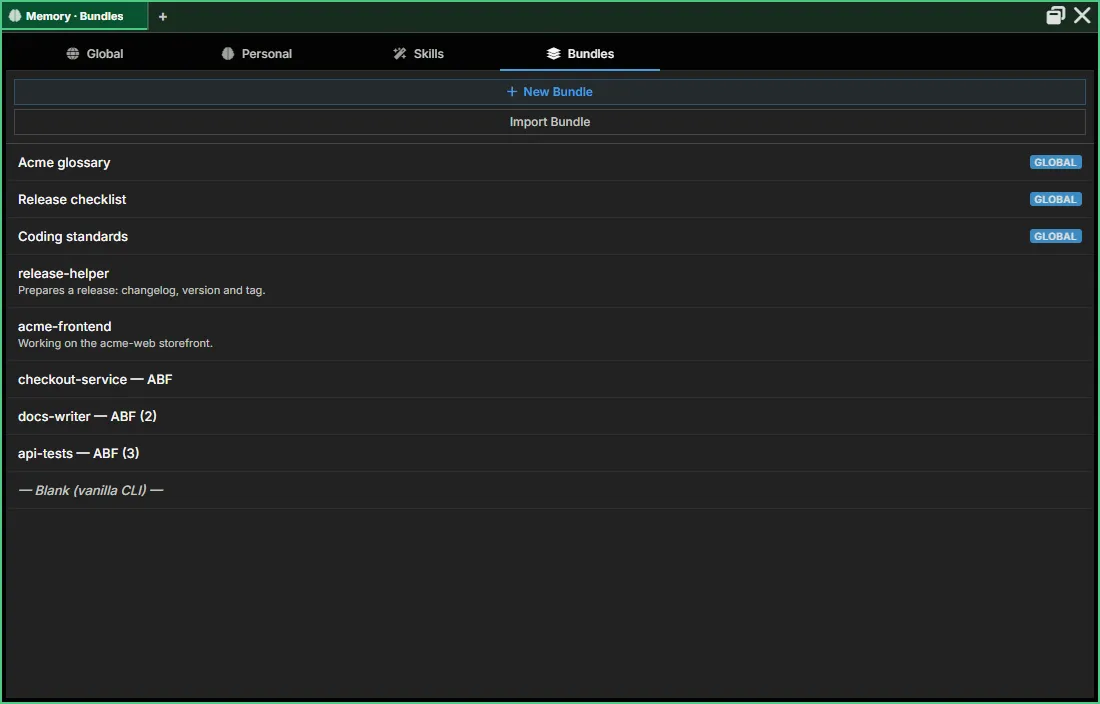
Bundles are created and edited here only. An agent’s Stash → Bundles tab picks which bundles that agent starts with; it doesn’t create or edit them.
Per-agent: the Stash
Section titled “Per-agent: the Stash”Some sections have a per-agent equivalent reached from inside an agent pane:
- Open any Agent pane → click the Stash icon (
toolbox) in the pane header. - A drawer opens under the pane header with tabs: Accounts · Personal Memory · MCP Servers · Skills · Bundles · Registration · Devices (
frontend/app/view/agent/components/AgentStashModal.tsx). Each tab is scoped to that agent rather than the app-wide catalog.
Personal Memory, Skills and Bundles are the per-agent side of Memory; Accounts and MCP Servers are the per-agent side of Connectors.
Portable bundles (beta spec)
Section titled “Portable bundles (beta spec)”Agent Bundle Format (ABF) is a beta specification for packaging a bundle’s instructions, skills, MCP servers, and credential requirements into one portable, versioned directory — composing existing standards (Agent Skills/SKILL.md, MCP server.json, AGENTS.md) rather than inventing new ones. The Bundles section has an Import Bundle button for bringing in an ABF bundle. See the rollout plan for what’s built vs. planned.
See also
Section titled “See also”- Connectors — Accounts, MCP servers and Remotes
- Bundles — full bundle reference, and how an agent’s bundles are picked
- Agent Bundle Format (ABF) — beta spec for portable, exportable bundles
- MuxAPI —
skill.*,bundle.*andmemory.*RPC catalogs docs/specs/SPEC_MEMORY_FOLLOWS_THE_AGENT_2026_09_24.mdin the main repo — the memory record, adoption and folder claims