
Swarm
The Swarm pane is the overview of what your agents are doing right now. It lists every running agent pane on this AgentMux instance as a tree: under each agent you see its todo list, subagents, workflow runs, shells, cron jobs, long-running commands and background commands. A fleet toolbar at the top lets you send one message to several agents, or stop them, in one action.
Opening Swarm
Section titled “Opening Swarm”- Click Swarm (bee icon) in the widget bar. It is pinned by default (
crates/srv/src/config/widgets.json,defwidget@swarm). - Command palette (
Ctrl+P): Open Swarm. - Click + on any pane’s tab strip and pick Swarm to add it as a tab in that pane.
- Right-click a pane header → Replace With… → Swarm replaces that pane with Swarm.
- In an agent pane, click a subagent or workflow dispatch card (it reads View in Swarm →;
EnterorSpacealso work). Each click opens a new Swarm pane (frontend/app/view/agent/components/tool-renderers/DispatchCard.tsx).
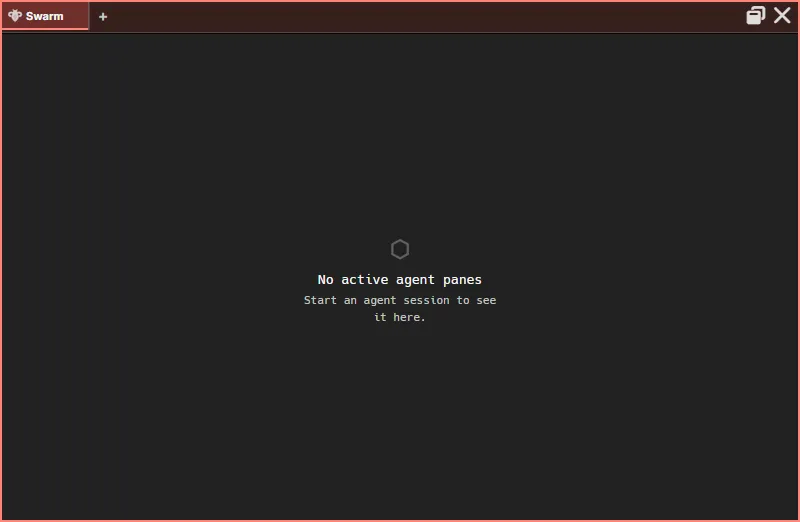
With no agent panes open, Swarm shows No active agent panes and “Start an agent session to see it here.” The fleet toolbar only appears once there is at least one agent, or once there are stats to show.
Layout
Section titled “Layout”From top to bottom (frontend/app/view/swarm/swarm-view.tsx, SwarmView):
- The fleet toolbar.
- The Stats panel, shown while the toolbar’s Stats button is on.
- A result panel, shown only after a fleet action.
- A Clear completed (N) button, shown only when there are finished rows to dismiss.
- The agent tree.
Swarm supports per-pane zoom like other panes, from 50% to 200%: Ctrl+scroll, or Ctrl + / - / 0.
The agent tree
Section titled “The agent tree”Each top-level row is a running agent pane on this AgentMux instance, across all of its windows and workspaces. Agents on other AgentMux instances or LAN peers are not listed.
An agent row shows:
| Element | What it shows |
|---|---|
| Checkbox | Selects the agent for a fleet action |
| Chevron (▸ / ▾) | Expands or collapses the row. Shown only when the agent has child rows. |
| Provider logo and name | The pane’s agent name, or “Agent” if it has none |
| Child count | Number of child rows, shown while the row is collapsed |
| Context size | The context-window reading from the agent’s last turn, e.g. 45.2k |
| Status chip | working (red) while the agent is in a turn, including while it runs tools or stops; idle (green) otherwise |
| Activity line | A one-line summary of what the agent is doing, when available |
| Current tool | The tool the agent is running right now, while it is working |
Clicking an agent row focuses that agent (frontend/app/view/swarm/swarm-view.tsx, frontend/app/util/reveal-block.ts): AgentMux switches to the agent’s tab, brings its pane tab to the front if the pane has several tabs, and focuses its pane. If the agent is in another window, that window is brought forward. Only the chevron expands or collapses a row, and ticking the checkbox doesn’t move focus. Rows start collapsed. Clicking empty space in Swarm focuses the Swarm pane itself.
Rows use the agent’s own pane-tab color: the row of the currently focused agent pane has a thin border in that color, and hovering a row outlines it in a lighter shade of it. The color is the pane’s Pane Color if you set one, otherwise the agent’s assigned color.
Under an expanded agent, child rows are grouped in this order. A group is hidden when it is empty.
The agent’s current todo list, read from its transcript every few seconds (crates/srv/src/backend/reactive/progress_watcher.rs). AgentMux picks up TodoWrite, TaskCreate and TaskUpdate tool calls, and other tools whose name contains “Todo”.
- The header reads Todos with a done/total count, e.g.
1/3. - Items keep the agent’s own order and are marked ✓ (completed), ▸ (in progress) or ○ (pending).
- At most 24 items are shown, then +N more.
- earlier items may be missing appears when AgentMux started watching the agent partway through its session.
The last list stays visible after the agent goes idle.
Agent Tool
Section titled “Agent Tool”One row per subagent the agent launched with its Agent/Task tool. Subagent tracking is Claude Code only: AgentMux reads the subagent transcripts Claude Code writes under its config directory (crates/srv/src/backend/subagent_watcher/mod.rs).
- The label is a short generated name for the subagent, falling back to its slug and ID.
- The status chip reads working or idle, like an agent’s. A subagent whose agent went idle before the subagent finished is interrupted: its chip reads idle, and it has no countdown (see below).
- Click a row to expand its activity feed: text output, tool calls (click to see the input), results and errors (click for a preview), and progress. The feed keeps the latest 500 entries.
Workflow
Section titled “Workflow”One row per Workflow tool run (not one per member), showing {active}/{total} active or {total} retired and an Active or Retired badge. Expand it for a live feed tagged with each member’s short ID.
An Agent Tool row whose subagent finished, and a Workflow row whose members all completed, show disappearing in Ns and remove themselves after 60 seconds. Hovering a row pauses the countdown. These rows, and interrupted Agent Tool rows, have a × button (“Retire”) to dismiss them now. An interrupted row has no countdown and stays until you dismiss it.
Background shells the agent started with the Shell MCP tool: title, elapsed time and a Stop button.
Cron jobs the agent created: name, cron expression, when it last fired, fire count and an Active or Paused badge. Read-only.
Running
Section titled “Running”Long-running Bash tool calls (frontend/app/view/swarm/swarm-longrunning.ts):
- a call that has been running for more than 30 seconds;
- a bare
sleep, from the start, with a “~Ns left” countdown.
Each row shows the command and elapsed time. This group only covers agent panes that are currently open in the same window as the Swarm pane. Commands started in the background are listed under Background instead.
Background
Section titled “Background”Commands the agent started in the background (a Bash call with run_in_background), with the description the agent gave the command, or Bash if it gave none (frontend/app/view/swarm/swarm-background-tasks.tsx, crates/srv/src/backend/background_task_feed.rs). A background command a subagent started is shown under that subagent’s row in Agent Tool, whether or not the row is expanded; it moves to this group once the subagent’s row is gone.
Each row shows $, the description, a status and the elapsed time, which stops when the command ends:
- running;
- done, removed after 8 seconds;
- stopped, removed after 3 seconds;
- failed, removed after 15 seconds.
AgentMux reads these statuses from the task reports Claude Code writes to the agent’s output stream, including for commands a subagent started, so a finished command no longer stays running. Right-click a row for Copy description.
Clear completed
Section titled “Clear completed”Clear completed (N) dismisses every finished or interrupted Agent Tool row and every retired Workflow row. Dismissals are remembered in this machine’s local storage, so they survive reopening Swarm. Nothing is deleted from the agent’s own history, and a dismissed row comes back if it shows new activity. Todos, Shell, Cron, Running and Background rows are not affected.
Copy menus
Section titled “Copy menus”Right-click a row for a menu of values to copy (frontend/app/view/swarm/swarm-view.tsx). Entries with no value are left out.
| Row | Menu entries |
|---|---|
| Agent | Copy agent name, Copy block ID |
| Todo item | Copy todo text |
| Agent Tool | Copy name, Copy slug (when it differs from the name), Copy agent ID |
| Workflow | Copy name, Copy workflow ID |
| Shell | Copy command, Copy title (when it differs from the command), Copy shell ID |
| Cron | Copy name, Copy schedule, Copy target agent, Copy cron ID |
| Running | Copy command |
| Background | Copy description |
Fleet toolbar
Section titled “Fleet toolbar”The toolbar acts on the agents whose checkboxes you tick (frontend/app/view/swarm/swarm-fleet-toolbar.tsx). There is no separate scope picker: the toolbar only sees agents in the tree, which are the agent panes on this instance.
| Control | What it does |
|---|---|
| Select all / Select none | Ticks or clears every agent. The toolbar shows {N} selected. |
| Broadcast | Opens an inline box (“Message to send to {N} agents…”) with Send and Cancel. Enter sends, Esc cancels. The Stop button is hidden while the box is open. |
| Stop {N} | Stops the selected agents, after a confirmation dialog. |
| Stats | Opens or closes the Stats panel. Doesn’t need a selection. |
| Clear | Clears the selection. |
Broadcast sends the same message to each selected agent with no confirmation step. Each agent receives it as a jekt from an unnamed sender (TRUST=self-declared), because a message you type in the UI is not signed by any agent. An agent that is not live and registered for messages fails with an error in the result panel.
Stop opens a dialog titled “Stop N agents?” (or “Stop 1 agent?”) listing the selected panes’ block IDs, with a Stop {N} button. With 5 or more agents selected you can tick Staged rollout to stop them in batches (Batch size, default 3) and abort if a batch’s failure rate exceeds a percentage (default 50). Stopping ends each agent’s CLI process; the pane stays open. Because you are the one stopping them, the agents stop right away, without the 15-second override window an agent-initiated stop gets (see below). The selection is cleared afterwards. If an agent belongs to another AgentMux instance on the same machine (for example, a different channel), the stop is forwarded to that instance. Every stop is recorded in the Warden audit feed.
After either action, the result panel shows a summary such as “Broadcast — 3 succeeded, 1 failed” or “Bulk stop — 3 succeeded, 1 failed” (with ”— staged rollout aborted early” if that happened), and one row per agent with its error, if any. Dismiss it with ×.
From an agent
Section titled “From an agent”Agents can do the same through MuxAPI (crates/mcp/src/tool_schemas.rs; backend crates/srv/src/server/app_api/fleet.rs):
FleetListlists every agent reachable from the calling agent, with the IDs the other two tools expect.FleetBroadcastsends one message to many targets. Each message is signed and delivered exactly likeSendMessage, so it reaches agents on this machine by block ID and agents on LAN peers or the cloud relay by name. Large broadcasts go out in chunks of 10, about a second apart.FleetBulkStopstops agent panes by block ID, on this instance or another instance on the same machine. Each target running on this instance first gets its user’s 15-second override window, all in parallel, so the call takes at least 15 seconds; a target the user chooses to keep running is reported as kept and failed. The optional staged rollout applies only to the other targets (crates/srv/src/sagas/pending_shutdown.rs).
See MuxAPI for the full tool reference.
The toolbar’s Stats button (frontend/app/view/swarm/swarm-stats.tsx) opens a panel under the toolbar headed “AgentMux’s own model requests since its server started”, with the total. These are the requests AgentMux makes on its own, not your agents’ turns: session titles, subagent and workflow names, prompt suggestions, agent previews and narration. The counts start again when AgentMux’s server restarts. The button appears once at least one such request has ended.
The panel has one row per purpose:
| Row | What the requests are for |
|---|---|
| Session titles | The title and activity line of an agent’s session |
| Session titles (recovery) | Titles from a periodic background pass that fills in missing ones |
| Prompt suggestions | The ghost-text suggestion for your next message |
| Subagent names | Names for subagent rows in the tree |
| Workflow names | Names for workflow rows in the tree |
| Agent previews | The conversation preview for an agent under My Agents in the agent picker |
| Narration | Messages in an agent’s pane describing something AgentMux did on its own |
Each row counts how its requests ended, for example “12 accepted · 30 kept · 2 refused · 1 failed”. Refused, skipped and failed appear only when they aren’t zero.
| Count | Meaning |
|---|---|
| accepted | The model’s answer passed AgentMux’s checks and was taken. The pane can still keep the old title if the new one only rewords it. |
| kept | The model chose to leave things as they were. This is a normal answer, not a failure. |
| refused | The answer was rejected: blank, the wrong shape (several lines, too long, no letters), a non-answer such as “none” or “untitled”, or a refusal. |
| skipped | No answer was needed: there was nothing to send, or a newer request replaced this one. |
| failed | The model’s CLI couldn’t run, failed, timed out, or the request was dropped before it ran. |
Hover a row for every outcome and its count. A row is shown as a warning when refused and failed requests together outnumber accepted and kept ones, and the Stats button then reads N failing, the number of such rows. An older AgentMux server without these counts leaves the panel empty.
Tokens and cost per agent
Section titled “Tokens and cost per agent”Swarm shows each agent’s context size, not its spend. Per-agent token counts and cost are in the status bar’s Token Usage popover (frontend/app/statusbar/TokenBreakdownPopover.tsx), and in an agent pane, clicking the context reading in the composer strip (e.g. 104k / 200k) opens a popover with that session’s cost, turns, duration and token totals (frontend/app/view/agent/components/AgentSessionStats.tsx).
Swarm itself spends a small number of tokens: when you open it, AgentMux asks a small model to name up to 20 unnamed subagent rows.
What Swarm doesn’t do
Section titled “What Swarm doesn’t do”- No history or search. Swarm shows live state only. Subagent activity is held in memory; when an agent pane is reopened, AgentMux reloads that session’s subagent activity from Claude Code’s transcript files.
- No other instances or LAN peers. For those, see the Warden.
- No subagent tracking for providers other than Claude Code.
See also
Section titled “See also”- Pane Types — every pane type, including the agent pane’s dispatch cards
- Warden — agents across Host, LAN and Internet, the jekt audit feed, and Supervisor auto-continue
- Interagent Communication — how jekts are delivered